
Scharge digital platform and app
The Scharge app for EV drivers, the operator dashboard, OTA updates and a voice assistant. Get the app on Google Play and the App Store.
02 · System architecture
Three layers: power infrastructure – charging equipment – digital platform
Each Scharge station is designed in three independent but closely linked layers: the power infrastructure layer ensures supply and safety, the equipment layer converts and delivers energy to the vehicle, and the digital platform layer runs charging sessions, payment and remote operation.
Chargers connect to the platform via 4G or Ethernet: user authentication, session start and stop, billing, payment, status monitoring, fault alerts and remote software updates (OTA).
AC chargers supply alternating current to the vehicle's on-board charger. DC chargers rectify AC 380 V into DC 200 – 1 000 V using power modules and communicate with the vehicle's battery management system (BMS) to adjust the charging current in real time.
Supply from the grid via a transformer substation (when capacity must be increased) to the main distribution board. Each charger feeder has its own switching and protection devices; the electronic energy meter and surge protection are located at the main board.
Flow of a charging session
- 1Find a stationThe app shows location, charger status and directions.
- 2AuthenticateScan the QR code, tap a card, or VIN recognition on DC chargers.
- 3AuthorizeThe platform checks the account and sends a start command to the charger.
- 4Charge and monitorPower, energy and time are updated continuously on the charger and in the app.
- 5End and payStops on command or when the battery is full; the transaction and history are recorded.
09 · Digital platform
Management platform, app and payment
Every Scharge charger connects to the management platform via 4G or Ethernet. Users operate through the app; investors and operators monitor, control, set tariffs and track revenue on the admin web portal.
- Station map, real-time charger status, directions
- Scan a code to start charging; stop charging from the app
- Track power, energy, time and cost
- Anomaly alerts and charging-complete notifications
- Charging session and transaction history
- Payment by e-wallet or card; customizable payment gateway
- Operations overview: charging sessions, energy delivered, revenue, charger utilization
- Management of station sites, equipment, users and cards
- Tariff configuration: time-based, service fee, free of charge
- Real-time monitoring, remote control, incident reports
- Software update (OTA) management for equipment
- Tiered permissions: dealers, station owners
- AC chargers: 4G · DC floor-standing cabinets: Ethernet, 4G, 3G
- Sync of charging sessions, meter readings, status and error codes
- Remote firmware upgrades without interrupting operation
- Fault reports and anomaly alerts to the operator
Charging session start methods
Scan the code on the charger with the app to open a charging session.
Tap a registered card; suited to fleets, staff and residents.
The charger reads the vehicle's VIN when the connector is plugged in and opens a session with the linked account.
Platform supply options
Suited to investors with many station sites who operate them in-house and want to own their data.
Suited to starting small and scaling up by number of chargers.
Shared at a percentage of charging revenue agreed in the contract.
Platform fees are quoted per project. Specific features depend on the platform version at the time of deployment.
Platform activation at station handover
- 1AccountCreate the investor account and assign admin permissions.
- 2SetupStation site, chargers, connectors, tariffs, payment methods.
- 3ConnectChargers go online via 4G/Ethernet; status sync is verified.
- 4Test runTest charging sessions by QR and card; reconcile energy and amounts.
- 5Go liveStation shown in the app, station owner trained, handover.
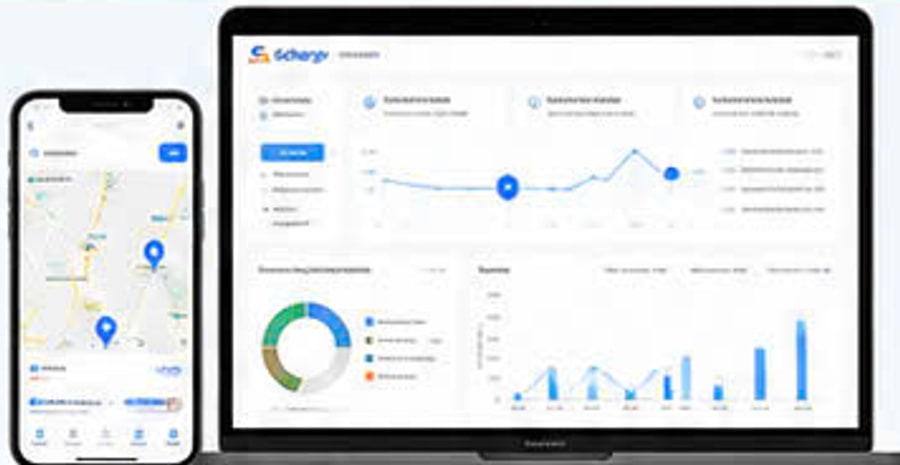
Charge with the Scharge app

Scharge is the app for EV drivers. Find a charger, start a charging session with a QR code and track your electricity cost while you charge.
First release: sign in with an account issued by Scharge. Self-registration is being finalized. Station in service in the first release of the app: Scharge Trung Son, Ho Chi Minh City.
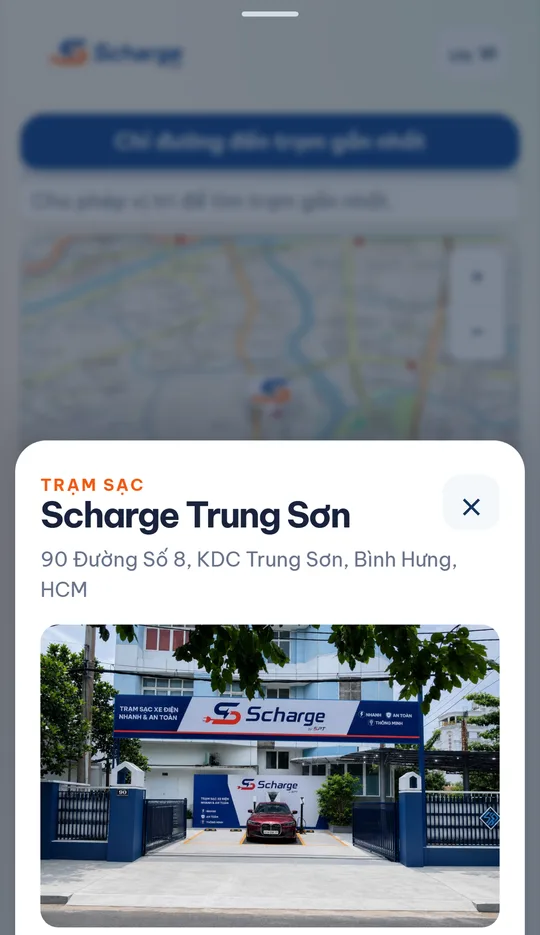
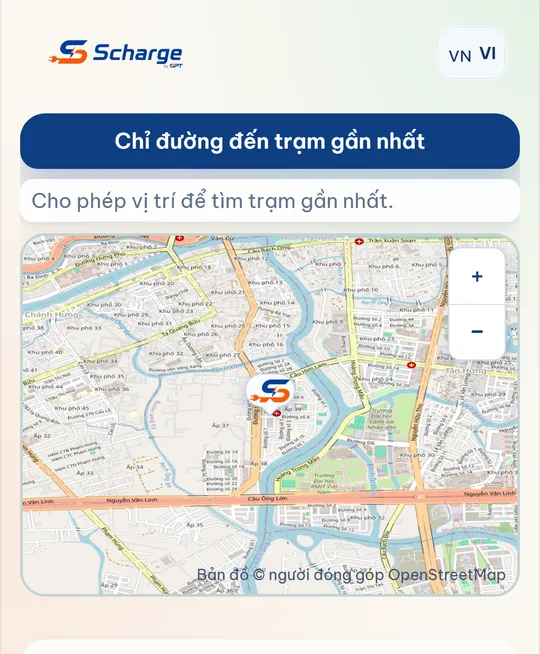
The app interface and the signage in these renderings are in Vietnamese: the stations and the app serve the Vietnamese market.
The map shows every charging station in the system. Allow location access and the list is sorted by distance. Decline and the map still shows every station. Check the status of each charger before you set off.
Scan the QR code on the charger with your phone camera. If it cannot be scanned, type in the code printed on the charger. Start and stop the session from within the app.
Track the time, the kWh delivered and the running cost, updated continuously. Stop at any time from your phone.
Top up your wallet by bank transfer via QR code. Save the top-up QR image to your photo library to select it in your banking app. The transaction log records every top-up and every charging deduction. Review the session history and the receipt for each session.
Reserve a charging spot in advance. See the promotions currently running.
Your GPS coordinates are not sent to the server. The app computes distances on the device to sort the station list. The server stores no location and keeps no movement history. The camera opens only to read the QR code on the charger and retains no frames. The app writes to the photo library only when you tap to save the top-up QR code. No ads, no third-party trackers, no data sharing for marketing.
Using the Scharge app in 10 steps
For EV drivers: from installing the app, topping up the wallet with VietQR, finding a station, starting and stopping a charge, to receipts and e-invoices. The full version with step-by-step screenshots is in the PDF.
For now: sign-up and password reset by SMS code are waiting for carrier approval of the message template. Meanwhile, contact the station operator to have an account created, then sign in with your phone number and password.
- Install and open the appInstall Scharge from the Google Play or App Store link above. The first screen is the map and station list, visible without signing in. To charge, tap Charge in the bottom bar.
- Sign up and sign inTap Charge, enter your phone number and password, then tap Sign in. New account: receive a 6-digit SMS code (valid 5 minutes) and set a password of 8 to 128 characters. SMS codes are used only for sign-up and password reset.
- Forgot passwordOn the sign-in screen tap Forgot password?, enter your registered phone number, enter the SMS code and set a new password. The old password no longer works.
- Top up the wallet with VietQRTap the balance in the top-right corner, enter the amount (VND) and tap Top up. Tap Save VietQR image, open your banking app and scan the saved image. Use only the code Scharge generated for that top-up, before the expiry time shown.
- Find a station on the mapTap Map and type a name or address in Find station. Stations marked "QR charging available" can be used right away; each shows connector status, number of connectors and price per kWh. Tap Directions to open the route in Google Maps.
- Start chargingPlug the connector into the car, tap Charge then Scan QR to charge; if scanning fails, type the 6-digit code printed on the charger label. When the charger status is Ready, tap Start charging. The wallet holds an amount for the session; at the end you pay only for the energy delivered.
- Monitor and stopThe Charging screen updates energy, current power, car battery and available balance. Tap Stop charging, wait for the charger to confirm, then tap Done. If the charger does not stop: unplug at the car and call on-site support.
- Receipts, history and e-invoicesTap Account, choose Charging history, then View receipt. For an e-invoice, enter the buyer name and address and tap Request invoice. Once the invoice is created, buyer details can no longer be changed.
- Account: language, sign out, delete accountThe language button in the top-right corner offers 9 languages. Sign out is under the Info tab. Account deletion takes effect immediately and cannot be undone; charging history and wallet transactions are kept anonymised for reconciliation.
- If something goes wrongCharger shows "Offline": tap Check again or use another charger. Insufficient balance: tap Top up and the app pre-fills the missing amount. Connector not plugged in: plug in firmly and scan again. Still stuck: tell on-site staff or email scharge@spt.vn.
- Camera: to scan the QR code on the charger.
- Location: to find stations near you, used on the phone only.
- Photo library: only when you choose to save the VietQR image for a top-up.
- If you decline a permission you can still browse stations and type the code printed on the charger instead of scanning.
Source: Technical dossier of the Scharge EV charging station solution, SPT · SST Center, version 09/2026.
Bring a Scharge charging station to your site
Send us your requirements and CD Restop will survey the site and propose a suitable configuration.
Request a site survey0981 107 900